Flexible Content Templates
Pro feature: Requires Dynamic ACF Repeater for Elementor Pro.
The ACF Flexible Content skin renders Flexible Content rows with different Elementor Loop Items. You define the layouts in SCF/ACF and design every mapped template in Elementor.
The plugin does not generate a hero, quote, card, or fallback design. The examples below are ordinary Loop Items created for the demo.
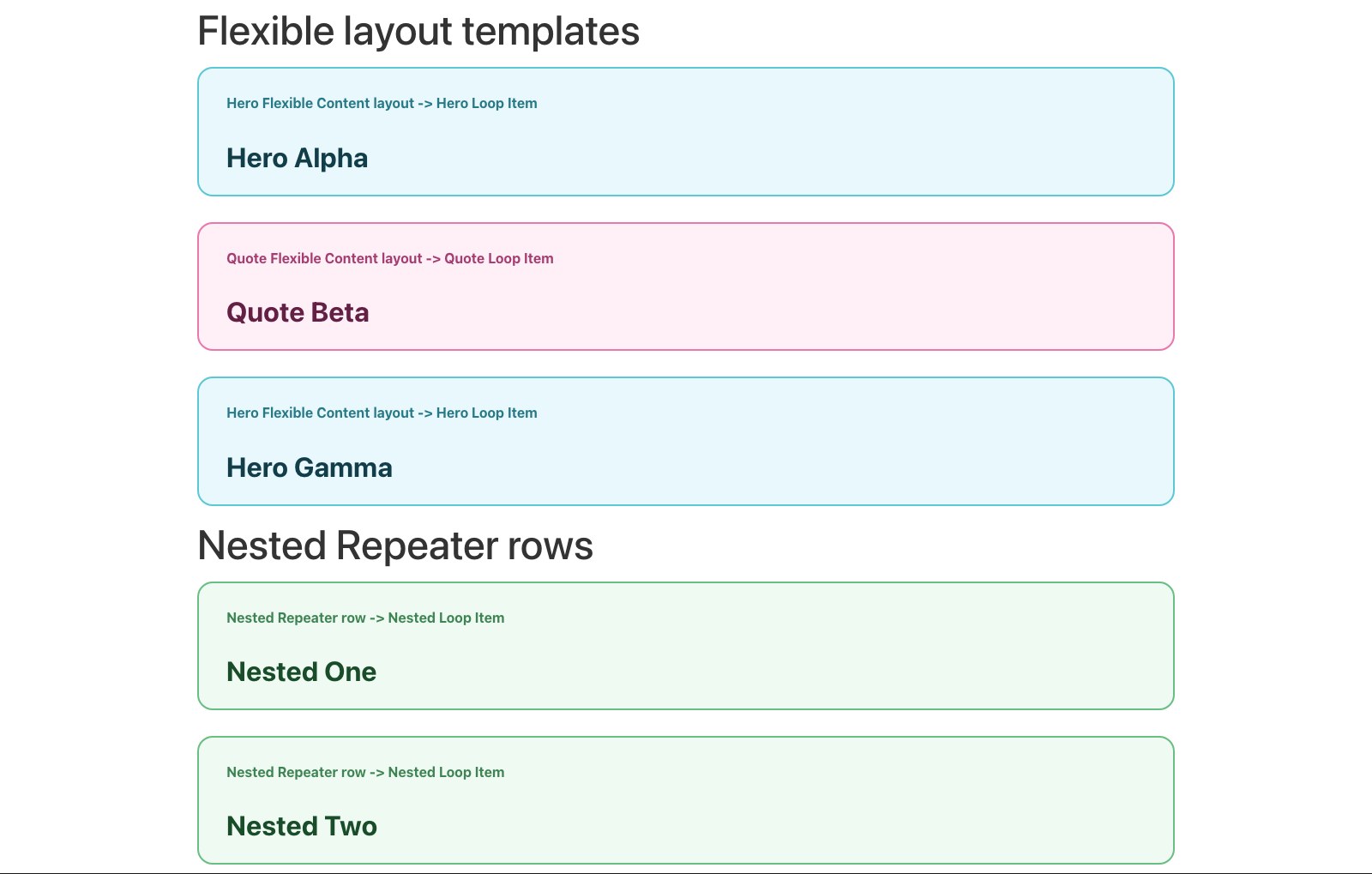
Example result
1. Create and populate the Flexible Content field
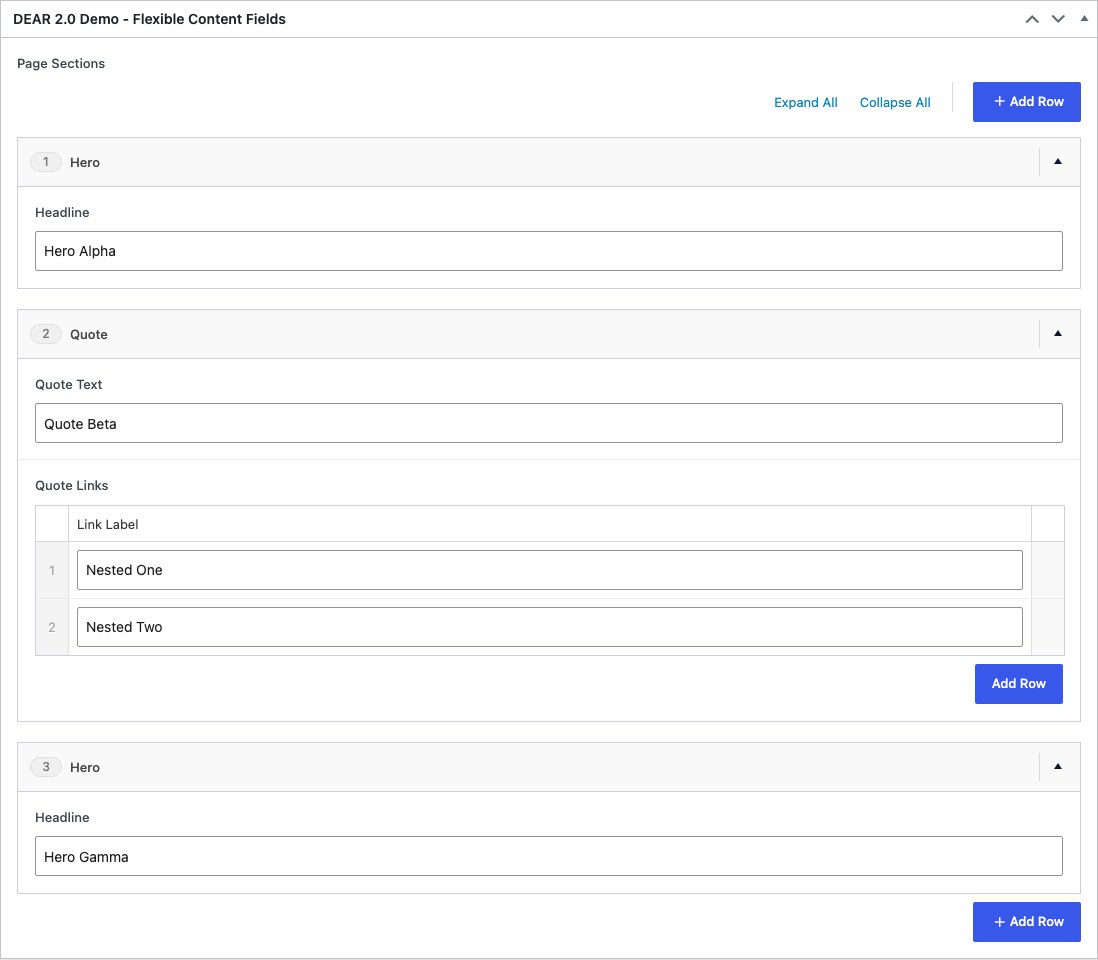
Create a Flexible Content field with the layouts and subfields your page builder needs. Add rows to a source post so each layout has preview data.
2. Create one Loop Item per layout
For each layout:
- Create an Elementor Loop Item.
- Open ACF Repeater Loop Settings.
- Choose that layout under ACF Row Schema for Loop.
- Set Elementor's preview source to a post containing the layout.
- Design the item and connect its subfields with Repeater dynamic tags.
The schema selector keeps each template's field list focused on that layout.
3. Configure the Loop Grid skin
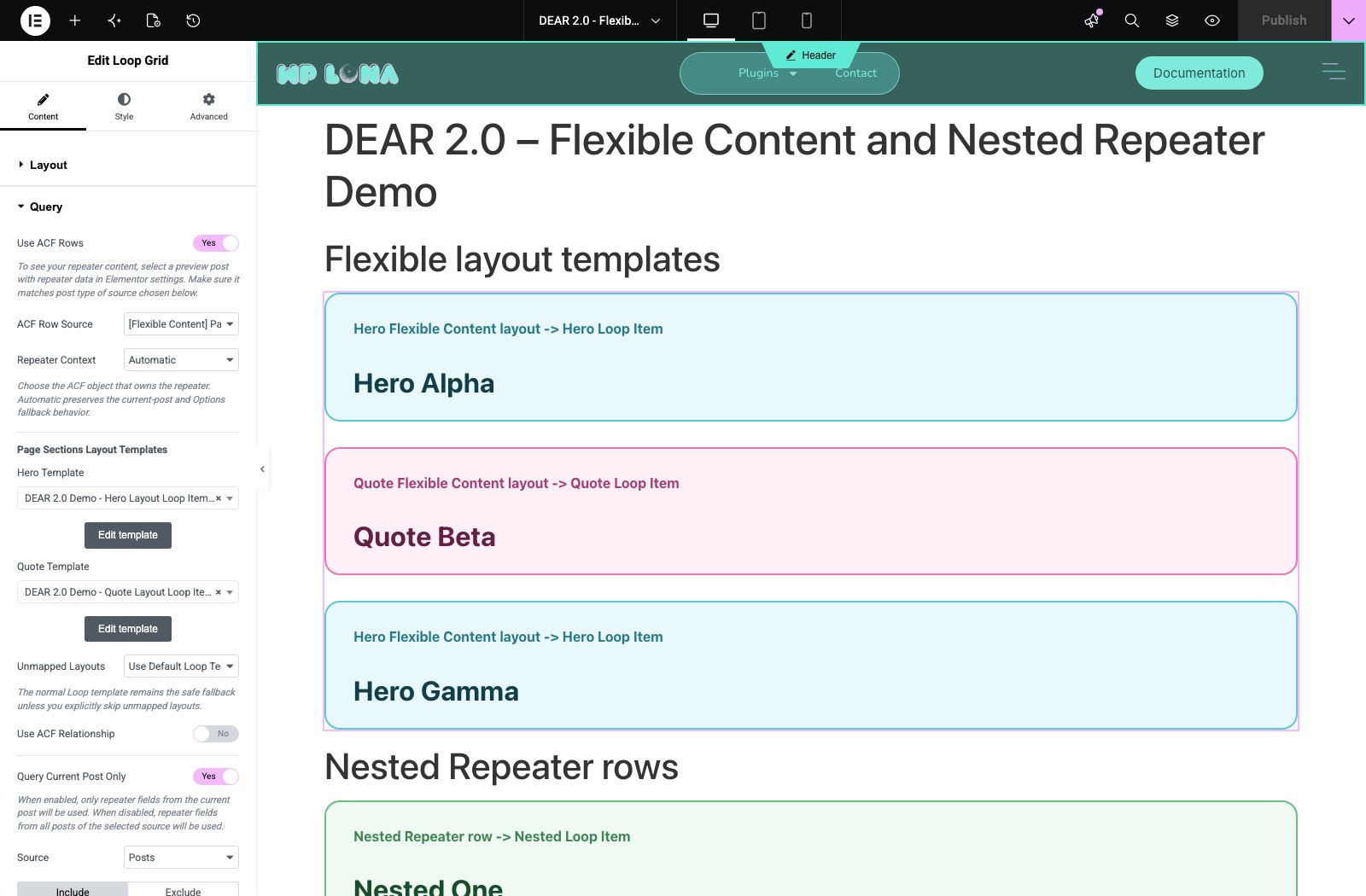
Add a Loop Grid and choose a normal default Loop Item. Then:
- In Query, enable Use ACF Rows.
- Select the Flexible Content field under ACF Row Source.
- Under Choose template type, select ACF Flexible Content.
- Map each generated Layout Template control to its Loop Item.
- Set Unmapped Layouts to either Use Default Loop Template or Skip Row.
Fallback behavior
Use Default Loop Template is the safe default. An unmapped layout renders through the Loop Grid's normal template.
Choose Skip Row only when an unmapped layout should produce no frontend output. This is useful during a staged rollout, but it can hide newly added layouts until their template mapping is configured.
Rendering behavior
- Layout order follows the Flexible Content row order.
- Mapped templates render only for their matching layouts.
- The default Loop template remains Elementor's ordinary fallback.
- The plugin temporarily selects the mapped template for that row; it does not permanently alter the Loop Item or inject additional markup.
- Existing top-level Repeater widgets are unaffected by the Flexible Content skin.
Flexible Content with nested Repeaters
When a layout contains a Repeater, you have two choices:
- Render the outer layout through a mapped template and use its fields in that Loop Item.
- Select the inner Repeater as a Nested Repeater source and flatten its child rows into their own Loop Grid.
Choose based on which level should become an Elementor Loop Item.
Group selected layouts as one Accordion
A Flexible Content source can mix FAQ rows with normal content while its FAQ layouts behave as one Accordion.
- Create a Loop Item around Elementor's Accordion widget and select the FAQ layout under ACF Row Schema for Loop.
- Bind the Accordion title and content to the layout's question and answer subfields.
- Map the FAQ layout to that Loop Item and map other layouts to their normal templates.
- Keep the Loop Grid at one column.
- Enable Content → Accordion Rows → Treat rows as one accordion.
Only layouts that render an Accordion join the group. Notes, calls to action, and other mapped layouts stay in their original positions. The first accordion row starts open even when a different layout precedes it. See Accordion Rows for the full workflow and validation checklist.
Render Relationship posts inside each mapped row
A mapped layout can contain a normal Loop Grid or Loop Carousel that renders the Relationship or Post Object selections belonging to that specific Flexible Content row.
For example, if three Hero rows each have a Related posts field, every Hero Loop Item can display its own ordered post cards:
- Add a Loop Grid or Loop Carousel inside the mapped Hero Loop Item.
- Select a normal Loop Item designed for the related post type.
- In the nested widget's Query panel, enable Use ACF Rows.
- Enable Query Relationship Posts.
- Choose the layout's field under Relationship / Post Object Field.
While the mapped row is rendering, the nested query resolves only that row's selected posts. It preserves their configured order, keeps repeated instances of the same layout isolated, and returns no posts when the active row's field is empty.
Outside an active Repeater or Flexible Content row, the same deep field-path query retains its aggregate source-object behavior. See Relationship Queries for that distinction and the complete query setup.